Set permissions for the DSE OpsCenter Performance Service
Optionally, set DSE OpsCenter Performance Service permissions for each user role and cluster.
Grant configuration and CQL query tracing privileges.
You must have the admin role to grant role privileges.
-
Click Settings > Users & Roles.
The Users & Roles dialog appears.
-
Click Manage Roles.
The Manage Roles dialog appears.
-
Select the edit icon for the role.
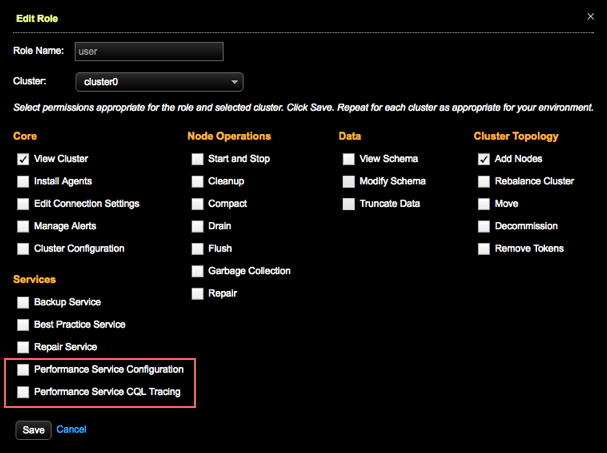
The Edit Role dialog appears.
-
In the Services area, select the Performance Service permissions to grant to the role:
-
Performance Service Configuration: Enables configuration permissions for the Performance Service metrics pages, which allows Configuring the slow query log, Configuring table metrics, and Configuring thread pool statistics.
-
Performance Service CQL Tracing: Enables the Trace feature for the Slow Query Log.
-
-
Click Save. If applicable, repeat for each cluster in your environment.
For more information, see Configure OpsCenter role-based security.
